The Alarm.com smart thermostat sits in an interesting niche: it’s not sold at big-box stores, doesn’t have the brand recognition of Nest, and requires professional installation through a licensed service provider. Yet it offers powerful automation features that most standalone thermostats can’t match, especially for homeowners already invested in a professionally monitored security and smart home system. For anyone considering a whole-home automation setup, or already using Alarm.com for security, this thermostat deserves a close look. It integrates tightly with other connected devices, automates climate control based on real-time conditions, and delivers meaningful energy savings without constant manual adjustments.
Table of Contents
ToggleKey Takeaways
- The Alarm.com smart thermostat integrates deeply with professional security and home automation systems, enabling cross-device automation that standalone thermostats like Nest and Ecobee cannot match.
- Installation requires a licensed service provider and costs $150–$250 for hardware plus $75–$150 in labor, with ongoing monthly monitoring fees of $30–$60 depending on your plan.
- Geofencing and sensor-triggered automation allow the Alarm.com smart thermostat to save up to 17% on heating and cooling costs by pausing HVAC when doors open or adjusting based on household location and outdoor conditions.
- Unlike DIY thermostats, the Alarm.com thermostat runs automation rules locally through the control panel for faster response times and operates offline for basic heating and cooling functions.
- The system is ideal for homeowners already invested in Alarm.com’s security ecosystem or those prioritizing professional support and unified climate control across multiple smart devices.
What Is the Alarm.com Smart Thermostat?
The Alarm.com Smart Thermostat is a Z-Wave-enabled climate control device designed to work within the broader Alarm.com ecosystem. Unlike consumer thermostats available at retail, this unit is sold and installed exclusively through Alarm.com service providers, typically security companies that also offer home automation packages.
It’s compatible with most 24VAC HVAC systems, including single-stage and multi-stage heating and cooling, heat pumps, and systems with auxiliary heat. The thermostat communicates wirelessly with an Alarm.com control panel or hub, which connects to the cloud for remote access and automation.
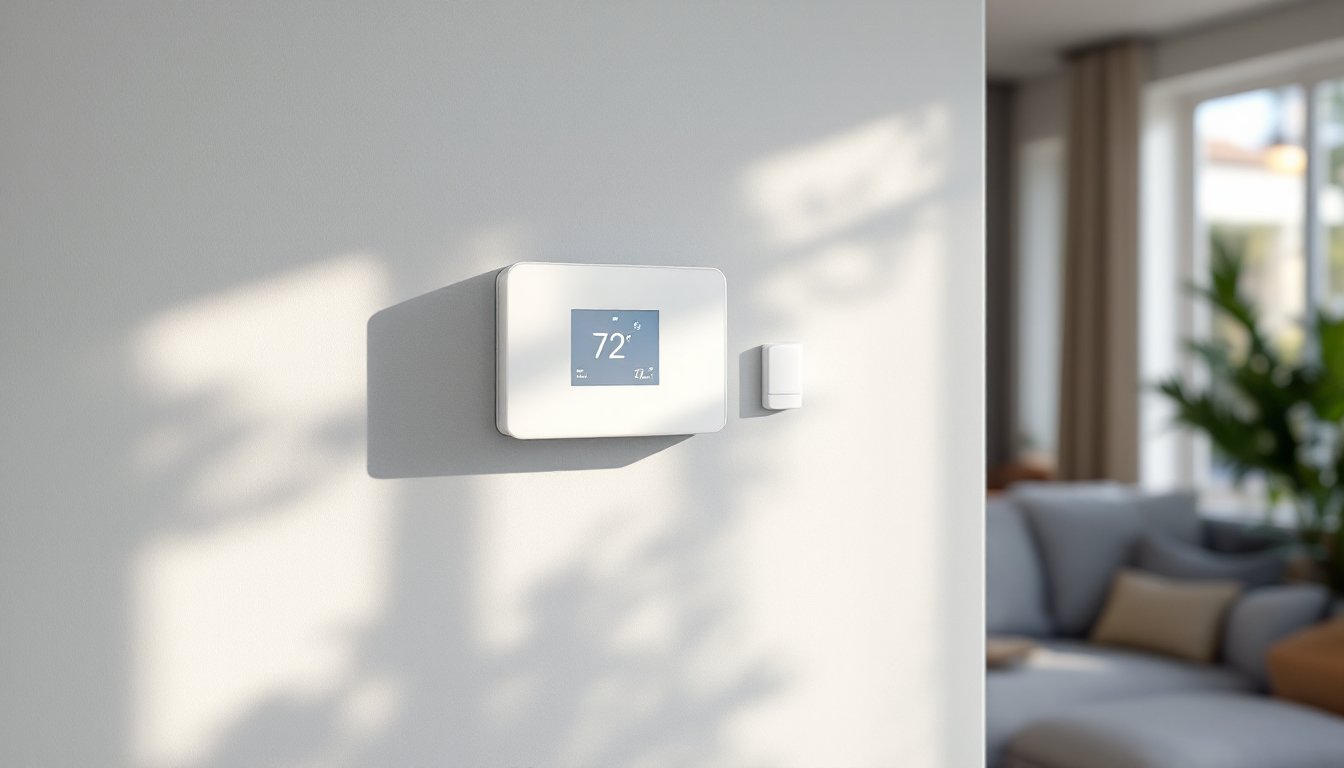
Physically, it’s a low-profile unit with a touchscreen interface and minimalist design. It mounts on a standard electrical box or directly to drywall using a wall plate. Installation requires a C-wire (common wire) for continuous power, if the existing system lacks one, a technician can typically add a C-wire adapter or run new wiring.
What sets it apart from DIY options is its deep integration with professional monitoring and automation systems. Homeowners control it through the Alarm.com mobile app or web portal, the same interface used for security cameras, door locks, lights, and sensors. This unified platform is the main selling point: one app, one ecosystem, one monthly monitoring fee.
Key Features That Set Alarm.com Apart
Smart Home Integration
The thermostat’s core strength is cross-device automation. Because it shares a platform with security panels, door/window sensors, motion detectors, smart locks, and cameras, it can trigger climate actions based on events from any connected device.
For example:
- Arm-based automation: The system can lower heating or cooling when the security system is armed in “Away” mode, then resume the schedule when disarmed.
- Sensor-triggered adjustments: If a door or window sensor detects an opening for more than a set time, the HVAC can pause to avoid wasting energy.
- Camera-linked rules: Some users set up rules where video analytics (like person detection) trigger lighting and HVAC changes simultaneously.
This level of integration isn’t possible with standalone units. A Nest or Ecobee can connect to other smart home platforms via IFTTT or Matter, but those are third-party bridges with limited rule complexity. Alarm.com’s automation runs locally through the control panel, so response times are faster and don’t rely solely on cloud connectivity.
The thermostat also supports smart scenes, pre-configured settings that adjust multiple devices at once. A “Goodnight” scene might lock doors, arm the security system, dim lights, and set the thermostat to sleep mode with a single tap.
Geofencing and Advanced Automation
Geo-Services (Alarm.com’s term for geofencing) uses smartphone location to trigger automatic climate adjustments. When the last household member leaves a defined perimeter, the system switches to an energy-saving mode. When someone re-enters the boundary, it ramps back up to the comfort schedule.
Unlike simpler geofencing implementations, Alarm.com can:
- Track multiple users simultaneously (useful for families with different schedules).
- Set custom perimeter sizes (e.g., a 5-mile radius vs. 1 mile).
- Layer geofencing with other conditions: “If away for more than 2 hours and outdoor temp is above 85°F, increase cooling setback.”
The thermostat also supports demand response programs in participating utility markets. During peak demand events, the system can automatically adjust settings to reduce load, sometimes earning rebates or credits.
Smart schedules adapt to observed behavior patterns over time. If the system notices consistent manual overrides at certain times, it can suggest schedule tweaks or automatically adjust (with user permission).
Pricing and Installation Costs
The Alarm.com thermostat typically costs between $150 and $250 for the hardware, depending on the service provider and regional market. That price usually includes professional installation, though some dealers charge separately for labor.
Professional installation is required, this isn’t a DIY product. Expect installation fees from $75 to $150 if not bundled with the hardware. The technician will verify C-wire availability, check HVAC compatibility, configure Z-Wave pairing with the control panel, and test all functions.
The bigger cost consideration is the monthly monitoring fee. Alarm.com services are subscription-based, with typical plans ranging from $30 to $60 per month depending on features (video storage, number of devices, automation complexity). The thermostat itself doesn’t add a separate fee, but it requires an active Alarm.com account to function remotely.
For homeowners already paying for professional monitoring, adding the thermostat is a straightforward upgrade. For those without an existing Alarm.com system, the value proposition depends on whether they want the full ecosystem, security, cameras, locks, sensors, and climate control under one platform.
Some service providers offer equipment financing or bundle deals (e.g., “add a thermostat for $5/month on a 36-month contract”). Read the contract terms carefully: early termination fees can apply.
No DIY installation workaround exists. The device must be enrolled in an Alarm.com account by a licensed dealer. Attempting to bypass this voids warranties and prevents cloud access.
Performance and Energy Savings
Alarm.com claims users can save up to 17% on heating and cooling costs with optimized scheduling and automation. Real-world savings depend heavily on how the system is configured and household behavior.
Key performance factors:
- Accurate temperature sensing: The thermostat measures ambient temp at the wall-mounted location. For homes with uneven heating/cooling, some service providers offer remote sensors (sold separately) that average temps across multiple rooms.
- HVAC staging control: For multi-stage systems (like two-stage heat pumps), the thermostat can call for stage 1 first, then stage 2 only if needed, reducing energy waste.
- Adaptive recovery: The system learns how long the HVAC needs to reach target temps, so scheduled changes arrive on time without overshooting.
One practical advantage: because the platform tracks when doors/windows open, the thermostat avoids running the HVAC while the house is effectively “leaking” conditioned air. Over a cooling season in a hot climate, this can add up.
The reporting dashboard shows daily and monthly runtime, setpoint vs. actual temp, and energy usage trends. Some users find this data helpful for diagnosing HVAC inefficiencies (e.g., a system that runs constantly might have a refrigerant leak or dirty coils).
Reliability is generally solid. The Z-Wave mesh network is stable, and the thermostat stores schedules locally, so it continues operating even if internet connectivity drops. Remote access and automation rules require cloud connection, but basic heating/cooling function remains intact.
How It Compares to Nest, Ecobee, and Honeywell
Nest Learning Thermostat (starting around $250) and Ecobee SmartThermostat ($220–$250) are DIY-friendly, widely available, and don’t require monthly fees for core features. They offer learning algorithms, remote sensors (Ecobee includes one: Nest sells them separately), and voice assistant integration (Google Assistant for Nest, Alexa built-in for Ecobee).
Where they fall short: neither integrates natively with professional security systems. You can connect them to smart home hubs or use third-party integrations, but complex automation rules (like “pause HVAC if back door is open for 5 minutes”) require additional platforms like Home Assistant or SmartThings.
Honeywell Home T9 ($180–$200) sits somewhere in between. It supports remote sensors and offers good scheduling, but lacks the learning features of Nest and the robust ecosystem of Alarm.com.
Alarm.com’s thermostat makes sense for:
- Homeowners already using Alarm.com for security and automation
- Those who want professional installation and support
- Users prioritizing cross-device automation over standalone features
It’s not the right choice for:
- Renters or anyone wanting a DIY install they can take when they move
- Budget-conscious buyers who don’t need professional monitoring
- Tech enthusiasts who prefer open platforms and tinkering
Summarizing, the Alarm.com thermostat isn’t competing directly with retail options, it’s part of a larger managed service. Compare total cost of ownership (hardware + installation + monthly fees) over 3–5 years before committing. For the right household, the unified platform and powerful automation justify the investment. For others, a standalone Ecobee or Nest delivers 80% of the functionality at a lower long-term cost.